Order a handful of your fastest-moving parts (a few screens, batteries and charging ports), record what you expect before the box arrives, then inspect and test each part before installation. Track ship time and packing, try one support contact, and judge the supplier on four yes or no questions. Keep protective film, seals and supplier labels on until each part has passed, so a failed part can still go back.
What should you put in a test order?
Choose parts you install every week, so the test reflects your real work and the parts get used inside the return window.
- Two or three screens for your most common models, for example from iPhone screens or Galaxy A parts
- A few batteries for the same models
- A charging port or two
- One consumable you use daily, such as adhesive
If the supplier sells more than one quality tier for a screen, order the tier you would normally stock. The part quality terms guide explains the labels you are likely to see and how to compare screen grades between suppliers.
What should you record before and after delivery?
A short log turns a gut feeling into a decision, and it is the evidence you need if a part has to go back.
| Record | Why it matters |
|---|---|
| Order date and the ship date or time you were quoted | Shows whether the delivery promise held |
| Stock shown on the site for each line | Tells you whether "in stock" meant in stock |
| Model and quality tier ordered for each line | Lets you compare what arrived with what you paid for |
| Delivery date and box condition | Separates carrier damage from supplier packing |
| Inspection result per part, with a photo of any fault | Supports a return claim and spots weak product lines |
| Install date and any comeback | Shows how the part behaves in real repairs |
| Any parts message the phone shows after the repair | Tells you what your customer will see, so you can explain it at pickup |
| Support question asked and time to a useful reply | Shows what help will look like on a bad day; the support test questions give you one to ask |
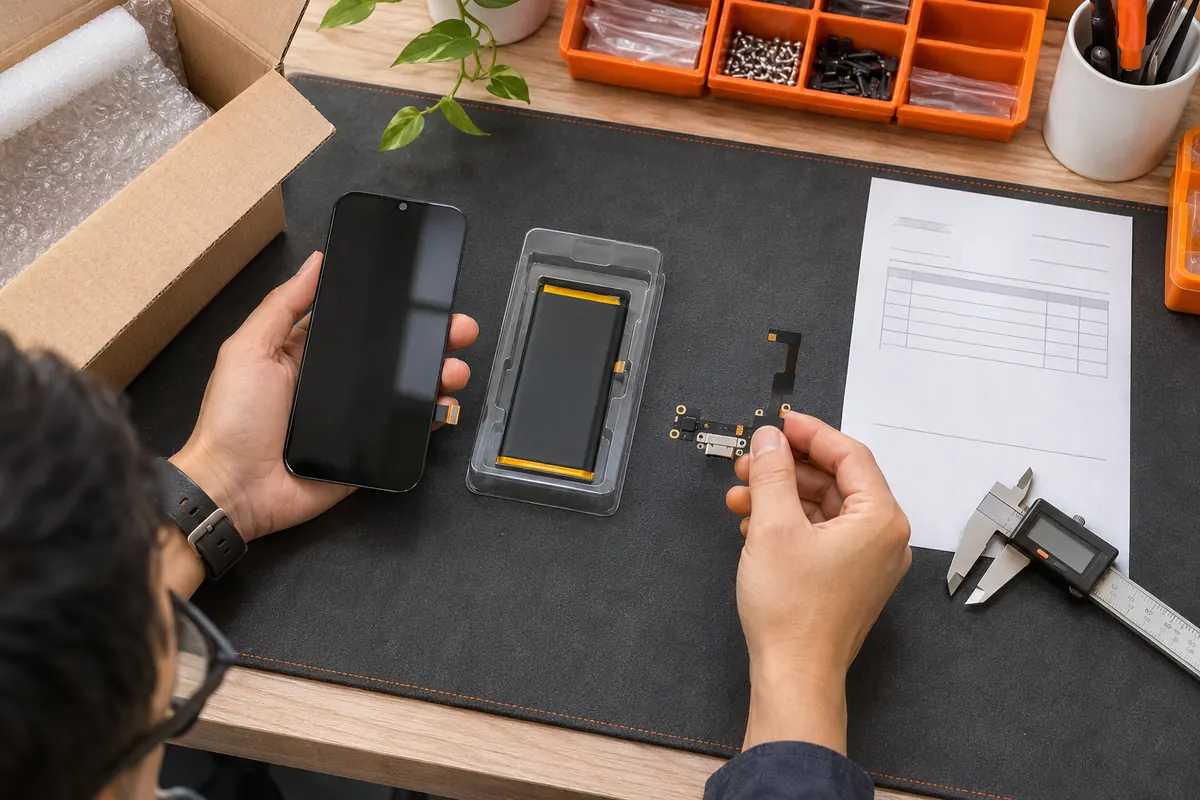
How do you inspect parts on arrival?
| Check | Pass |
|---|---|
| Packaging | Screens protected individually; nothing loose; batteries packed separately from other parts |
| Labeling | Model and quality tier on each bag, matching your order |
| Screens | Connect and test before any adhesive: touch across the whole surface, colors, brightness against a known good screen, no dead pixels or marks |
| Batteries | No swelling, dents or punctures; correct model; terminals covered |
| Ports and flex | No creases or tears; connectors straight and clean |
A part that fails this check while still sealed is the easiest return to make. See what a return policy should say about installed and uninstalled parts.
How do you test parts without voiding a claim?
Some return policies treat a part as installed because of its condition when it comes back, even if it never went into a phone. Test in a way that leaves the part returnable:
- Test screens on a connector before you peel the lens film or the adhesive seal. Some policies treat a screen with either removed as installed.
- Leave the supplier's stamp, sticker or label on every part. A part the supplier cannot identify as its own may be refused.
- Keep the bag and box until the part has been installed and has held up for a while.
- Handle flex cables and frames gently during the test. Torn flex, chipped frames and pressure marks are usually treated as installation damage.
| Term | What the policy says |
|---|---|
| Supplier marking | Items need the supplier's stamp to qualify under the RMA policy |
| Screen film and seal | Removing the lens sticker or seal covering adhesive on an LCD is treated as an installed LCD |
| Testing advice | A qualified technician should test the screen before installing it or removing the seal covering adhesive |
| Not accepted | Ripped flex cables, frame or glass damage, pressure points and damage from improper installation or removal |
| Processing | RMA generally takes around 1 to 3 business days after the items arrive; covered items get store credit or an exchange |
Read the full terms on the Parts4Cells return policy and check any supplier's current page before you test, since terms change.
What extra checks do batteries need?
The US Pipeline and Hazardous Materials Safety Administration (PHMSA) treats lithium batteries as hazardous materials for transport, and its lithium battery page notes that damaged, defective or recalled batteries are more likely than undamaged ones to short circuit and to release heat or cause a fire. So treat batteries with more care than other parts in a test order:
- Set aside any battery that is swollen, dented or punctured. Do not install or charge it.
- PHMSA notes that recalled lithium batteries pose a greater hazard and points to the Consumer Product Safety Commission recalls portal to check whether a battery has been recalled. A quick search for the battery model is worth it before you stock it.
- Ask the supplier for the UN 38.3 test summary for the battery models you buy (it is the first of the battery questions to ask a supplier). PHMSA says that since January 21, 2022, lithium cell and battery manufacturers must make test summary documents available on request, and advises checking with the manufacturer, distributor or vendor to confirm a design has passed UN 38.3 testing.
- If a battery has to go back, ask the supplier how they want it packed. The rules for shipping a damaged battery are covered in how to return a damaged battery.
What should you check after installation?
Run the same function tests you would run on any repair, then look at what the phone reports about the new part. On an iPhone, Apple's Parts and Service History page explains that with iOS 15.2 and later you can open Settings, General, About to see a Parts and Service History section after a repair. Which parts appear depends on the model: on iPhone 11 models and later the list includes the battery and the display.
- A part that is not genuine, or that has not been verified and linked to the phone, can show as Unknown. Apple says the phone shows a notification the first time it is unlocked after the repair and again five days later, and that an Unknown part might affect trade-in value.
- Apple also says these messages do not affect use of the iPhone unless the description says so.
Write the message into your test log for each model. It does not mean the part failed, but your customer will see it, so decide before you switch suppliers how you will explain it at pickup. The part quality terms guide covers what Genuine, Used and Unknown mean.
How do you judge the result?
Answer four questions from your log:
- Was everything in stock as shown?
- Did it arrive when expected?
- Did every part pass inspection and hold up after installation?
- Did support give a useful answer quickly?
If a part failed, file the claim the way the supplier's warranty describes and note how it was handled; how to compare supplier warranties lists what a claim process should state. If you are weighing an overseas seller as well, compare the result with the landed cost in US supplier or import.
Four yes answers: move one product category of volume and review again after a month of orders. One no: ask the supplier about it before you decide, since a single miss can be a one-off. Two or more: keep the supplier as a backup for hard-to-find parts and test another. Put the result into the supplier scorecard so you can compare suppliers side by side.
How do you build toward better pricing?
When tiers depend on monthly volume, consolidating orders with one main supplier moves you up faster than splitting across several. Track your monthly spend so you know when you are close to the next tier.
Frequently asked questions
How big should a first order be?
Big enough to cover the part types you sell most, small enough that losing it would not hurt. A few screens for your top models, a few batteries and a charging port or two is usually enough to see stock accuracy, packing, part quality and support in one go.
How long should you test before moving more volume?
Install the parts in real repairs and watch for comebacks over the next few weeks. If stock, delivery, testing and support all pass, move one product category and review again after a month of orders.
What should you do if a part fails inspection?
Do not install it. Photograph the part and its label, note the order number and the fault, keep it in its original packaging and contact the supplier within the return window. A swollen or damaged battery needs extra care before it ships back.
Can you peel the protective film to test a screen?
Test the screen on a connector with the lens film and adhesive seal still in place. Some suppliers treat a screen with the film or seal removed as installed, which can limit or void a return, so check the policy before you peel anything.
Sources
- US PHMSA: Transporting Lithium Batteries (page last updated October 12, 2023)
- Apple Support: iPhone Parts and Service History (published October 22, 2026)
- Parts4Cells: Return Policy (supplier example, read November 24, 2026)
Sources checked November 24, 2026. Prices, stock and program terms change; confirm them on the linked pages.